01
Same Wi-Fi.
Connect your iPhone and your PC to the same Wi-Fi network.
ONE NETWORK. TWO DEVICES.Mirror your iPhone, iPad or Mac to your Windows PC. Bring your screen into live streams, games, and the content you create.
New here? Create your account
 iPHONE
AN EASIER CONNECTION.
Three simple steps bring your screen
from your iPhone to your PC.
Connect your iPhone and your PC to the same Wi-Fi network.
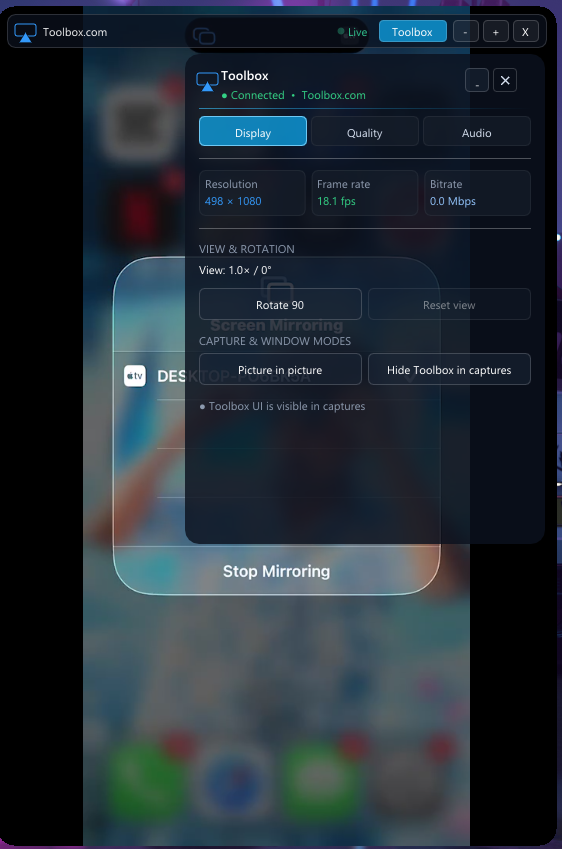
ONE NETWORK. TWO DEVICES.Open Control Center on your iPhone and tap Screen Mirroring.
YOUR IPHONE’S CONTROL CENTER.Select the receiver name shown in WonderScreen. Your screen is connected.
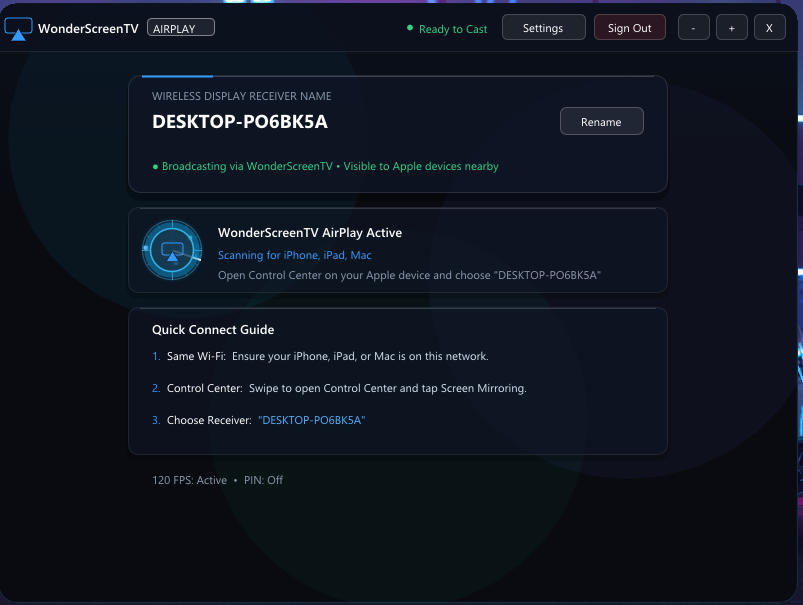
READY TO CAST.THE ACTUAL APP. UP CLOSE.
Your dashboard, mirrored screen,
and settings, all in one place.
See your receiver name, AirPlay status, and quick connection guide in one clear dashboard.
YOUR SCREEN. YOUR WORKFLOW.
One app. A bigger place
for everything you do.
Bring your iPhone screen into your streaming workflow and share the action.
Mirror the game to your PC and give your mobile screen more room.
Share apps, walkthroughs, and mobile content from a screen on your desktop.
SAVE YOUR MONEY.
WonderScreen is completely free. Mirror your iPhone to your PC without buying a capture card for screen mirroring.
WINDOWS PC / AIRPLAY / SCREEN MIRRORING
LET’S GET YOU CONNECTED.
Sign in or create your account to start using WonderScreen.
WANT THE LINK IN YOUR DMs?@wondertoolboxFollow us and comment WONDER on the Reel.Open WonderScreen on your PC. Connect both devices to the same Wi-Fi network. On your iPhone, open Control Center → Screen Mirroring, then choose your PC’s receiver name.
You can use AirPlay from an iPhone, iPad, or Mac to mirror your screen to the Windows PC running WonderScreen.
Yes. WonderScreen is completely free to use. Download the Windows app, then sign in or create your account to get started.
You can use WonderScreen for wireless iPhone screen mirroring to your PC over the same Wi-Fi network, without a capture card.